How to Change Chatbot Colors
Customizing your chatbot's color scheme is one of the most effective ways to make the widget feel like a native, integrated part of your website.
Best Practices for Chatbot Colors
- Maintain Contrast: Ensure there's a high contrast between text and background colors for readability and accessibility (WCAG compliance). Don't use light grey text on a white background.
- Brand Consistency: Use your primary brand color for the Header Background to immediately establish trust. Use secondary or neutral colors for chat bubbles.
- Clear User Actions: Ensure the user message bubble stands out sufficiently from the background so conversations are easy to follow.
Steps to Change Colors
- Navigate to Preview: From your RhinoAgents dashboard, open your chatbot and click on the Preview tab.
- Open Customization: In the top right corner of the Preview area, click the Customize button.
- Customize Chatbot Modal: The customization window will appear with options for your theme colors.
- Modify Colors: Under the Colors section, you can change four distinct elements:
- Header Background: Sets the primary color for the top header bar of the chatbot widget (e.g.,
#4f46e5). - Header Text: Sets the text color for the title and controls within the header (e.g.,
#ffffff). - Chat Background: Changes the background color of the main chat conversation area (e.g.,
#f8fafc). - User Message: Sets the background color for the message bubbles sent by the user, differentiating them from the bot's responses.
- Header Background: Sets the primary color for the top header bar of the chatbot widget (e.g.,
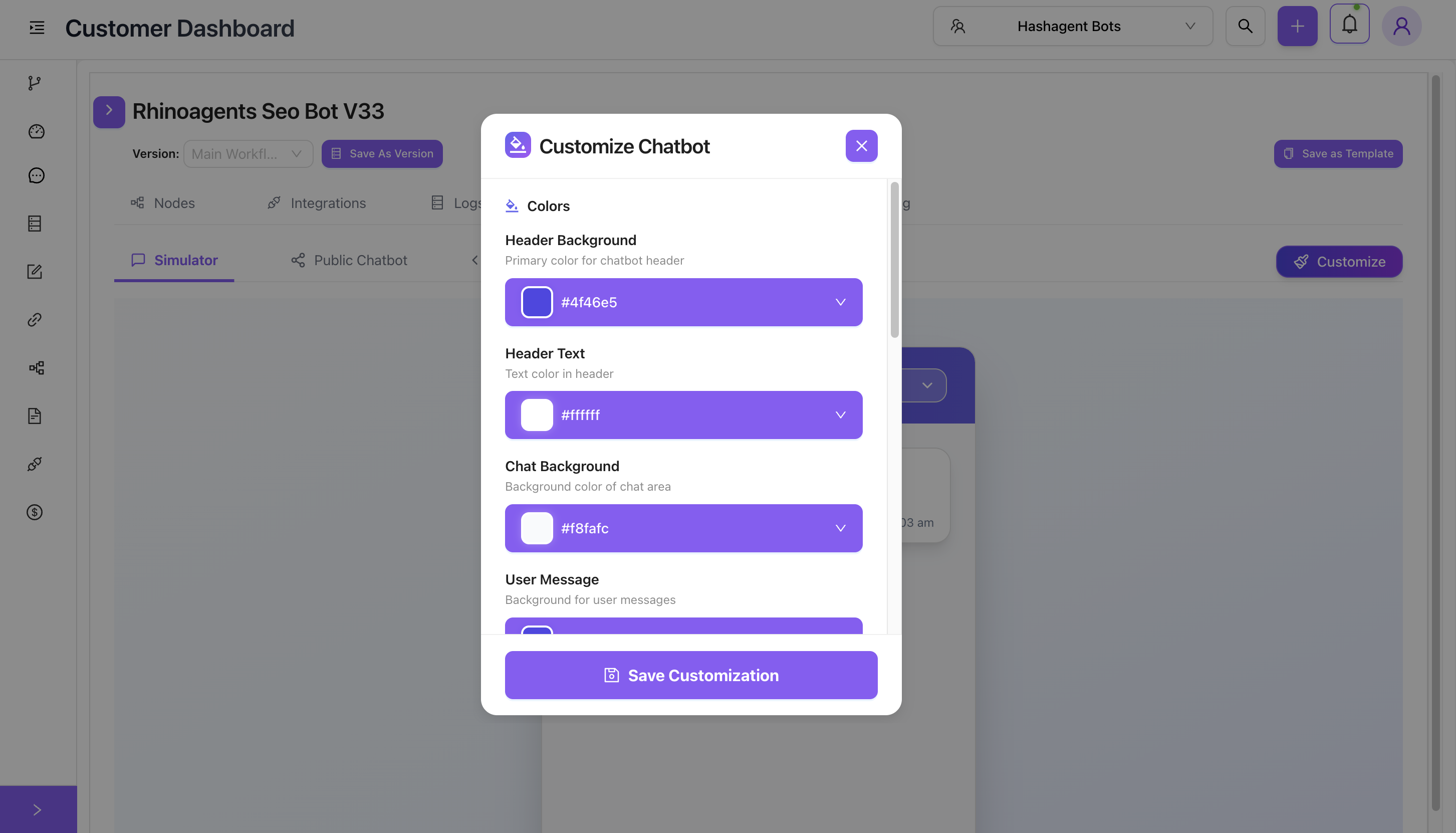
- Select Colors: Use the built-in visual color picker or manually enter specific HEX codes.
- Save Changes: Click the Save Customization button at the bottom of the modal to apply your new theme.
Viewing Changes
As soon as you save, the changes reflect immediately in the live simulator on your dashboard. Furthermore, any external websites where the chatbot script is currently embedded will automatically inherit the new color scheme upon the next page refresh—no code updates required!